
Please note : This help page is not for the latest version of Enterprise Architect. The latest help can be found here.
Script Group Properties
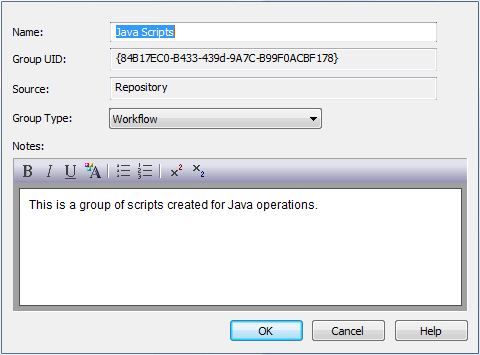
The Script Group Properties dialog enables you to set the following properties of the script group:
- Name - The name of the script group; the dialog also displays the automatically-assigned GUID of the group
- Group Type - The type of scripts contained in the group. This can be one of:
- Normal - (
 ) Ordinary scripts
 - Project Browser - (
 ) Scripts that are listed in and can be executed from the Project Browser Scripts context menu option
 - Workflow - (
 ) Scripts executed by Enterprise Architect's workflow engine; you can create only VB scripts of this type)
 - Search - (
 ) Scripts that can be executed as model searches; these scripts are listed in the Search field of the Model Search window.
- Notes - Your own notes on the script group.
The material ("material" includes all pages, documents and on-line graphics) on this web site is protected by copyright law. (C) 1998-2010 Sparx Systems Pty Ltd.
