
Please note : This help page is not for the latest version of Enterprise Architect. The latest help can be found here.
Operation Tagged Values
Operations can have Tagged Values associated with them. Tagged Values offer a convenient extension mechanism for UML elements, so you can define any tags you like and then assign values to them using this form.
Tagged Values are written to the XMI output, and can be input to other third party tools for code generation or other activities.
Tip: |
Tagged Values are supported for attributes, operations, objects and connectors. |
Add a Tagged Value
To add a Tagged Value for an operation, follow the steps below:
- Click on the Tagged Values tab of the operation Properties dialog.
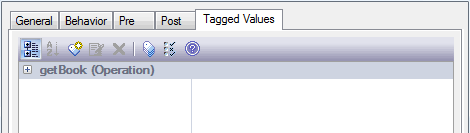
- Click on the New Tags button. The Tagged Value dialog displays.
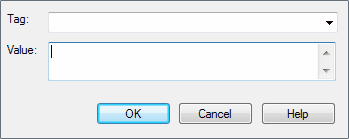
- In the Tag field, type the tag name (or select a defined tag from the drop-down list), then in the Value field type the initial tag value.
- Click on the OK button to confirm the operation.
Note: |
You can define custom tags using a predefined Tagged Value Type. For more information see Create a Custom Tagged Value. |
The material ("material" includes all pages, documents and on-line graphics) on this web site is protected by copyright law. (C) 1998-2010 Sparx Systems Pty Ltd.
