Create Connectors
To create new connectors between existing elements using the Quick Linker, follow the steps below:
- Select the source element on the current diagram.
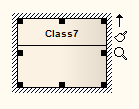
- Drag the arrow onto another element in the diagram.
- Release the mouse button and use the context menu to select the type of connector.
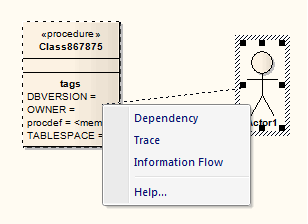
Notes:
|
- The list of connectors provides the most appropriate, commonly-used connectors for the source and target element types. If you want to use a different connector, select the appropriate Toolbox page, click on the required connector and then on the source element, and drag across to the target element.
- The connector does not actually establish until you release the mouse button over the target element. However, a dotted line shows where the connector would be at any point, and the solid outline of the nearest element or extension changes to a hatched outline as you move the cursor onto it; this helps you identify where the connector will connector to, if there are many closely-arranged elements, Parts, Ports and other extensions.
- You can also bend the connector, pressing as you drag the cursor in a new direction.
|
The material ("material" includes all pages, documents and on-line graphics) on this web site is protected by copyright law. (C) 1998-2010 Sparx Systems Pty Ltd.

