
Please note : This help page is not for the latest version of Enterprise Architect. The latest help can be found here.
SQL Server Non Clustered Keys
To define a primary key as non-clustered for a SQL Server table, follow the steps below:
- Right-click on the table in a diagram to open the context menu.
- Select the Operations menu option. The Table Operations dialog displays.
- Highlight the Primary Key Operation and select Extended Properties. The Database Operation Properties dialog displays.
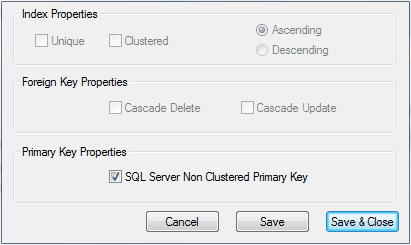
- Select the SQL Server Non Clustered Primary Key checkbox.
- Click on the Save & Close button.
The material ("material" includes all pages, documents and on-line graphics) on this web site is protected by copyright law. (C) 1998-2010 Sparx Systems Pty Ltd.
