
Please note : This help page is not for the latest version of Enterprise Architect. The latest help can be found here.
Behavior Call Arguments
You define the arguments of a Behavior Call using the Arguments dialog, which you display by clicking on the Edit button on the Call tab of the element Properties dialog.

- In the Name field, type the name of an argument to map to the behavior.
- In the Parameters field, click on the drop-down arrow and select a behaviors parameter from the list of parameters associated with the behavior.
- In the Value field, set any required value.
- If a diagram is displayed, and if required, select the Show in current diagram checkbox to add an Action Pin on the diagram.
- Click on the Save button.
- If appropriate, click on the New button and repeat steps 1 to 5 for another argument:parameter mapping.
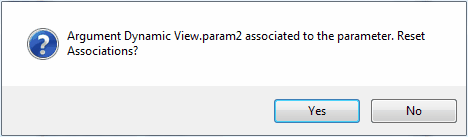
If you attempt to map a newly created argument to a parameter that is already associated with a different argument, Enterprise Architect identifies the mapping and prompts you to confirm that you intend to change the association.
The material ("material" includes all pages, documents and on-line graphics) on this web site is protected by copyright law. (C) 1998-2010 Sparx Systems Pty Ltd.
