
Please note : This help page is not for the latest version of Enterprise Architect. The latest help can be found here.
Constraint Status Types
You can configure the basic list of constraint status types used in Enterprise Architect, using the Constraint Status tab of the General Types dialog.
To access this dialog, select the Settings | General Types menu option. Click on the Constraint Status tab.
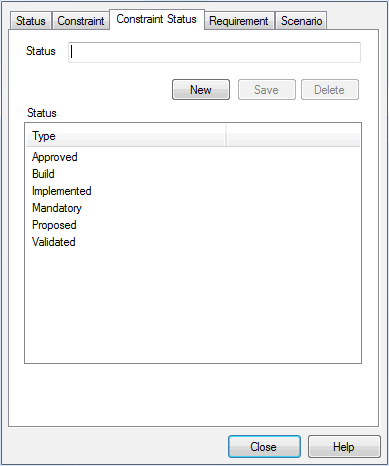
To add a new constraint status type, click on the New button, type the status type in the Status field, and click on the Save button. The constraint status type displays in the Status list.
Note: |
You can transport these constraint status types between models, using the Export Reference Data and Import Reference Data options on the Tools menu. |
The material ("material" includes all pages, documents and on-line graphics) on this web site is protected by copyright law. (C) 1998-2010 Sparx Systems Pty Ltd.
