
Please note : This help page is not for the latest version of Enterprise Architect. The latest help can be found here.
Add a Profile
When creating an MDG Technology file, you can include UML 2.3-compliant profiles that you have defined. To use the Profiles section of the MDG Technology Wizard, follow the steps below:
- Follow the steps in the Create MDG Technologies topic up to and including Step 6, where you select the Profiles checkbox. The MDG Technology Wizard - Profile files selection dialog displays.
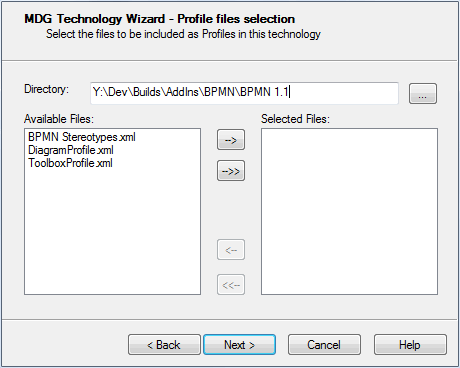
- In the Directory field, navigate to the directory containing the required Profile or Profiles. The Profile files are automatically listed in the Available Files panel.
- To select each required Profile individually, highlight the Profile in the Available Files list and click on the --> button. The file name displays in the Selected Files list. Alternatively, to select all available Profiles, click on the -->> button.
Notes: |
|
- Click on the Next button to proceed.
The material ("material" includes all pages, documents and on-line graphics) on this web site is protected by copyright law. (C) 1998-2010 Sparx Systems Pty Ltd.
