Please note : This help page is not for the latest version of Enterprise Architect. The latest help can be found here.
Create a Rule Flow Model
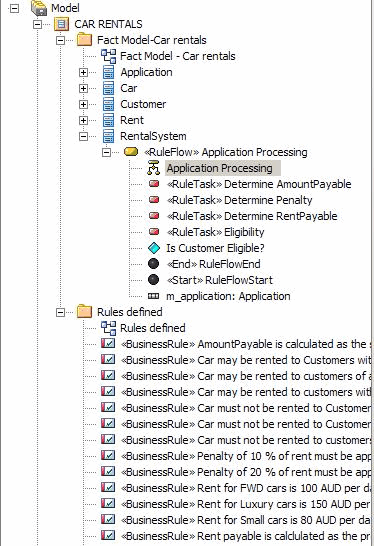
You create a Rule Flow Activity as a behavior for a Class, to enable that Class to process a set of rules.
To add a Rule Flow Activity to a Class, follow the steps below:
- On the Business Domain model diagram, right-click on the Class that processes the rules (in the example, Rental System).
- From the context menu select the Add | RuleFlow Activity menu option.
A new Rule Flow Activity with a Rule Flow diagram is created as a behavior for the selected Class. The Rule Flow diagram models the sequence in which a series of Rule Tasks are executed.
Code generation for a Rule Flow model renders each RuleFlow Activity as a set of operations or methods. Depending on what you want these methods to do, you might want to pass in some parameters to be used within the Rule Flow Activity. See the Pass Parameters to Rule Flow Activity topic.
Add a Rule Task
A Rule Task is a stereotyped Action that groups Business Rules for a specific task. You create Rule Task elements in a Rule Flow diagram using the associated Rule Flow pages of the Toolbox.

The following illustration is of a possible Rule Flow diagram for the car rental example.

The Rule Task elements Eligibility, Determine Rent Payable, Determine Penalty and Determine Total Amount Payable group the business rules for the specific task indicated by the element name. You then identify the business rules for each group.
Notes: |
|