
Please note : This help page is not for the latest version of Enterprise Architect. The latest help can be found here.
Local Pre/Post Conditions
Actions can be further defined with pre-condition and post-condition notes, which constrain an Action's entry and exit. These notes can be added to an Action as defined below.

See UML Superstructure Specification, v2.1.1, Figure 12.32, p. 316.
Create a Constraint
To attach a constraint to an Action follow the steps below:
- Right-click on the Action. The context menu displays:
- Select the Add | Constraint menu option. A Note is created on the diagram, connected to the Action.
- Right-click on the Note. The context menu displays.
- Select the View Properties menu option. The Constraint dialog displays.
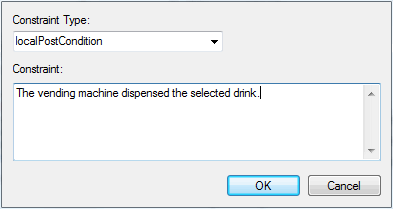
- In the Constraint Type field, click on the drop-down arrow and select the required constraint type.
- In the Constraint field, type the text for the constraint.
- Click on the OK button to save the constraint.
The material ("material" includes all pages, documents and on-line graphics) on this web site is protected by copyright law. (C) 1998-2010 Sparx Systems Pty Ltd.
