
Please note : This help page is not for the latest version of Enterprise Architect. The latest help can be found here.
Manage Your Own Locks
You can view and delete your own user-level locks in Enterprise Architect. This is especially useful when working in Mode 2 security (user locks required to edit).
To manage your locks select the Project | Security | My Locks menu option. The My Locks dialog displays.
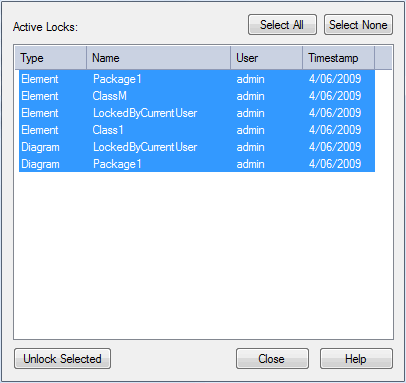
In the My Locks dialog you can select one or more locks and delete them (that is, unlock the object) by clicking on the Unlock Selected button.
The material ("material" includes all pages, documents and on-line graphics) on this web site is protected by copyright law. (C) 1998-2010 Sparx Systems Pty Ltd.
