There have been recent posts about "Update Styles" ...
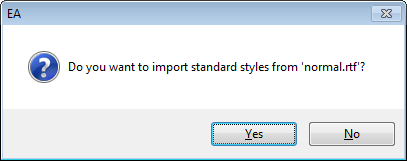
Experiences with Update Style in RTF TemplatesNormal.rtfResetting to 'Normal.RTF' does not workDespite this, on 910, there was a need to update our styles and document look and feel.
So using Word 2007 I updated normal.rtf.
Then I started to go through our model documents and linked documents to update the styles.
Here are some of the questions and issues I have encountered.
Before I go running to Sparx, I'd appreciate any comments and confirmation of them.
I'd find it more useful if the update styles dialogue provided a file open dialogue (eg so I can update from a network location rather than copy first).
When uploaded font size, type face sometimes to not get replaced correctly.
Changes to styles are not reflected as updates to the document view shown in the internal editor.
It is not clear how to force the internal editor to update the display to reflect style changes.
How do you tell the internal editor the update the table of contents after adding more headings?
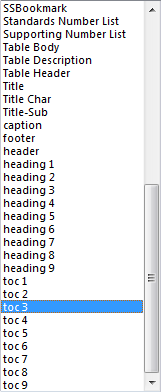
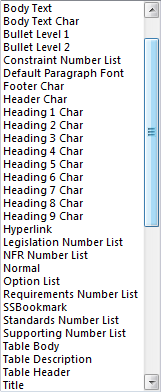
There are a whole bunch of styles shown (eg the ons the "Char" that do not show in word. Where do they come from? How do I delete them?
Why, when word calls a style "heading 3" does EA call it "heading 3"?
There are a number of Word features that do not appear to be adequately supported, eg for Paragraphs "Don't add space between styles of the same type", "Auto paragraph spacing", and table attributes around auto sizing (eg Table width = 100%).
All these things lead to an unclear and unmaintainable set of document templates and linked documents.


