I'm trying to create a server-based project, on a MySQL server, with EA13.
These are my steps:
At first I've created the schema "enterprise_architect" and then I've created an user with all options allowed in that schema.
When program starts, I click on Server Connection, and the Data Link Properties window appear:

Then I select the Connection Tab, select the "Use Connection String" option and then I put the following string that I've calculated (user, server, pass are different of course).
Driver=MySQL ODBC 8.0 Unicode Driver;SERVER=my.server.ip;UID=myuser;PWD={my_password};DATABASE=enterprise_architect;PORT=3306;BIG_PACKETS=1;AUTO_RECONNECT=1
Then I click on Test Connection and the connection is tested.
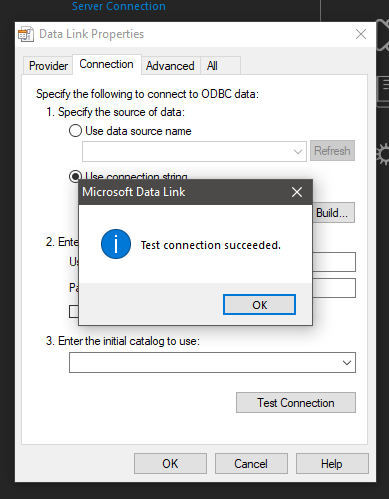
After pressing OK, the Select Data Source window appears, that's strange for me since I've already set the data. Anyway I select the .dsn where I saved the same properties that I've set in the connection string. The content of the .dsn file is the following one:
[ODBC]
DRIVER=MySQL ODBC 8.0 Unicode Driver
UID=myuser
COLUMN_SIZE_S32=1
PORT=3306
DATABASE=enterprise_architect
SERVER=my.server.ip
After pressing OK the MySQL ODBC connector window appears. I set the data (again), test the connection and the test is ok.

I Press ok, the Connection Name & Type window appear, and then I set the project name and server data (AGAIN???), with DSN that, for me, is the connection string that I've set before:
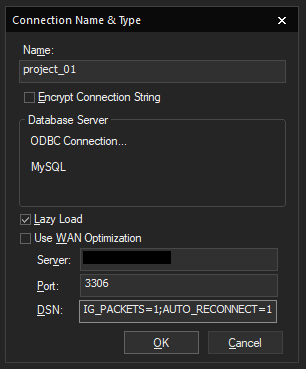
At this point, I obtain the following error:
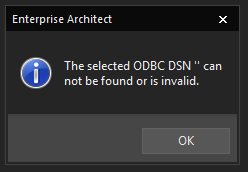
I've also tried to leave the final DSN field empty, but the error is the same...
What I'm doing wrong? How can I create this project?


